Understanding Role Permissions
Gain a clear understanding of role permissions in BuilderPad to effectively manage user access and control your project data. This article breaks down the different permission levels and what they mean, helping you to assign the right roles to your team members and clients.
Written By Stefan S.
Last updated 3 months ago
If you need to modify already existing role's permissions, you need to go to Settings>>Users>>Roles, then choose the role, click on three dots icon and then "Edit".
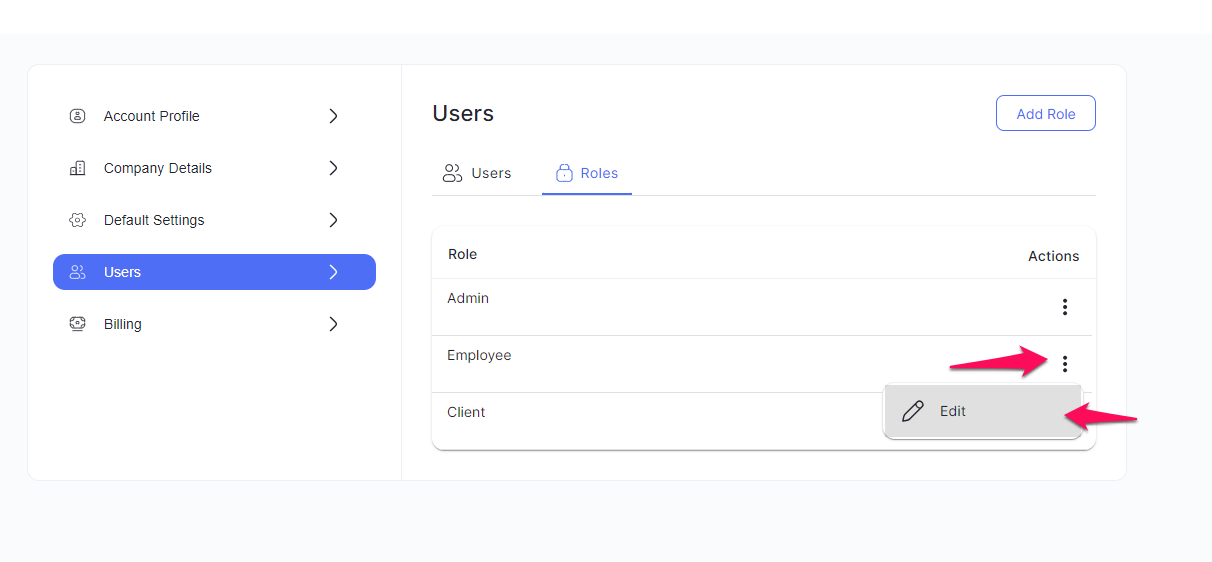
Here, you can modify some of the permissions, such as:
The ability to view the Activity feed, File Activity feed, Schedule Activity feed, and Selection Activity feed. Each of these sections has its own feed that allows for easier communication between team members:
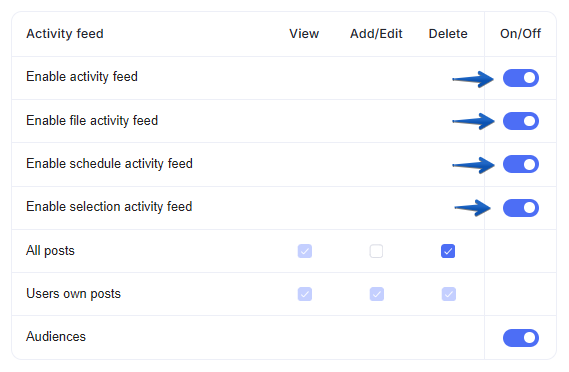
The ability to View, Add/Edit, or Delete files within the Media section:

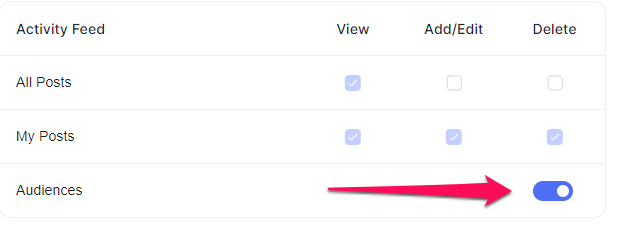
Choose whether this user can see the audiences of each post.
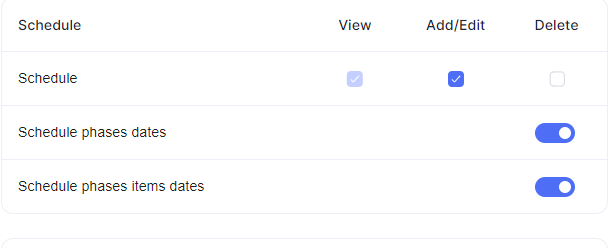
Can be able to add/edit or delete schedules, can delete schedule phases dates or schedule phase items dates.
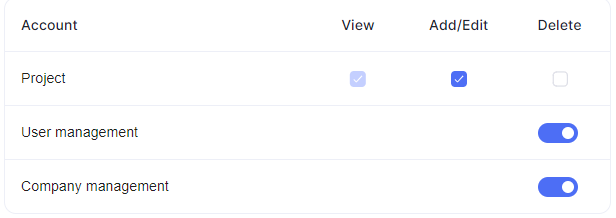
Choose if user can add/edit or delete projects, Can do deletions in user management or in Company Management (that controls (show/hide) Account Settings >> Company Detail).
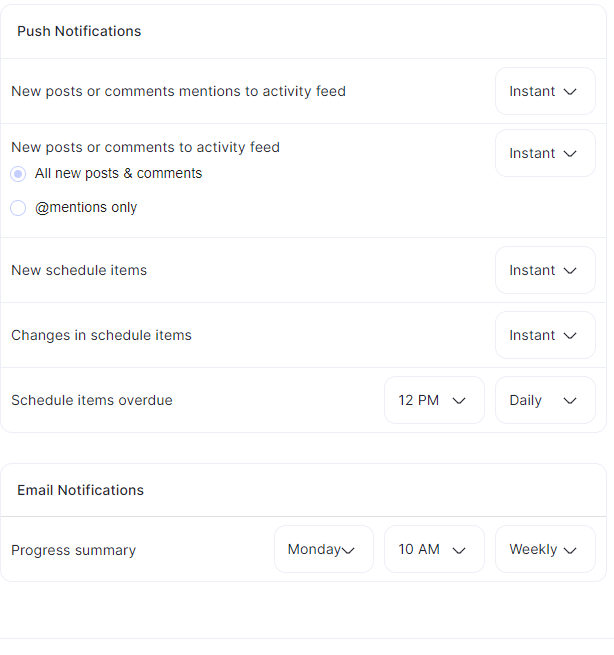
Also, you can modify the push notifications of the users, setting either instant or none:
Still need help? Ask the team