How to Add Checklists to Schedule Templates
Written By Stefan S.
Last updated 8 months ago
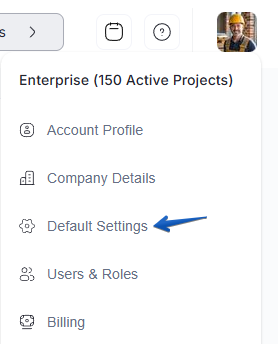
Go to Default Settings in the sidebar.
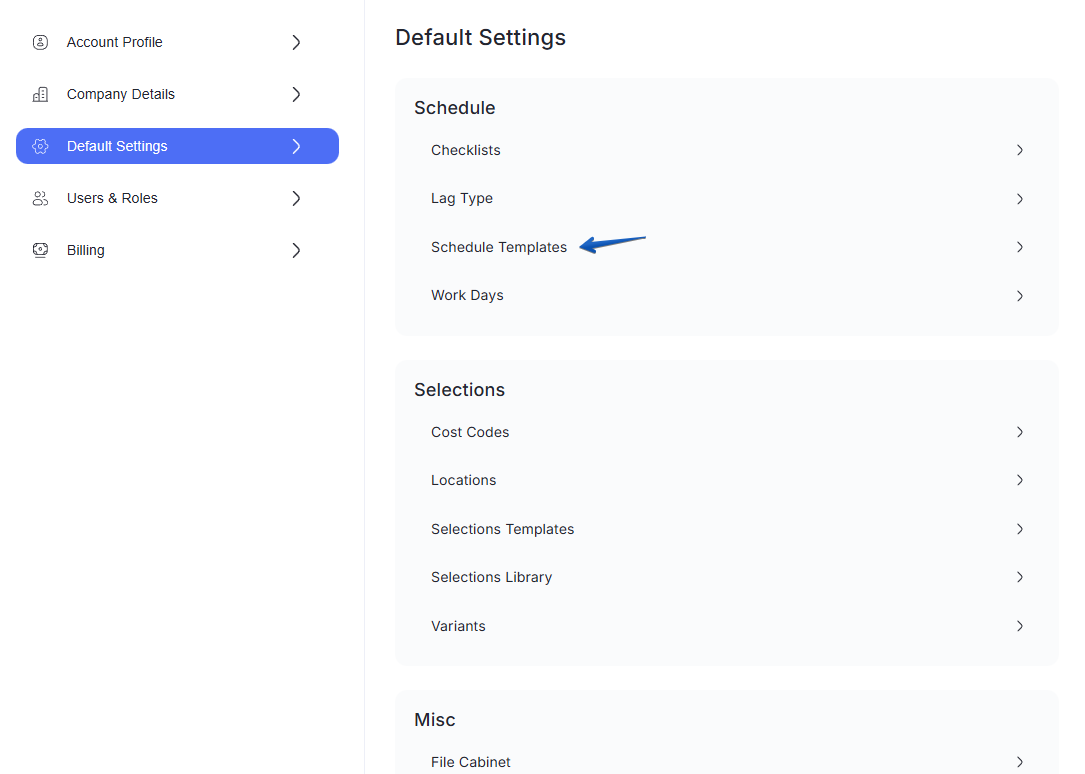
Select the Schedule Templates section.
Open an existing template or create a new one by clicking on Add Template.
In the template view, click the Add New button in the top right.
Select New Checklist from the dropdown menu.
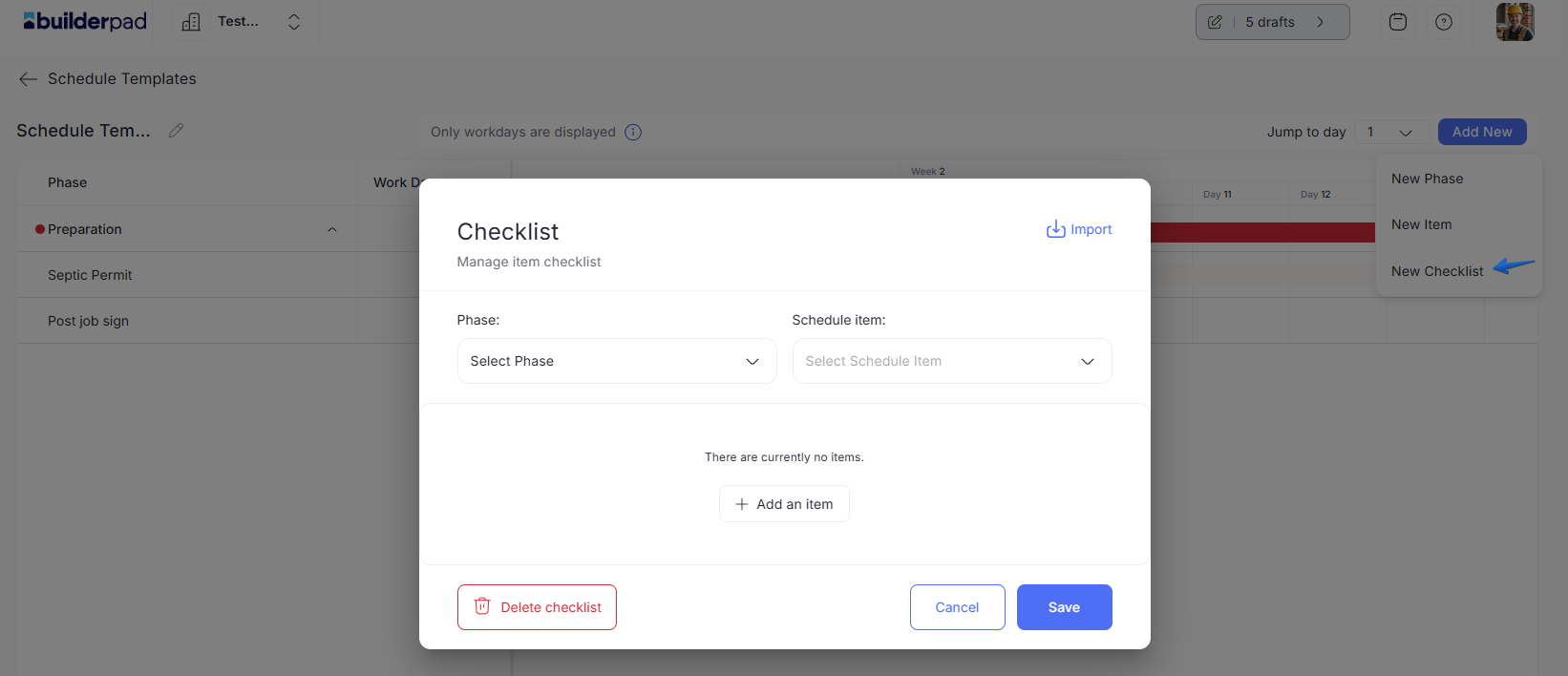
Add your checklist items and click Save.
These checklists will now automatically appear whenever this template is applied to a new project construction schedule.
Still need help? Ask the team