Pay App Export is Queued and is taking so long
A Pay App export that shows Queued is waiting its turn to be generated, not stuck. In BuilderPad Finance (inBuild), every Pay App PDF you export goes into a shared processing queue and is built in the order it was requested. Most exports finish in 1 to 3 minutes, but when a lot of exports are requested at once, yours may wait a little longer before it starts. Once your file is ready, it's emailed to you from noreply@inbuild.ai and is also available to download right inside the app.
Written By Gilbert
Last updated 3 days ago

Finding your exports
You can check on any export from the Exports list, no need to wait for the email.
Click the down arrow icon in the top toolbar (Recently Downloaded Reports).
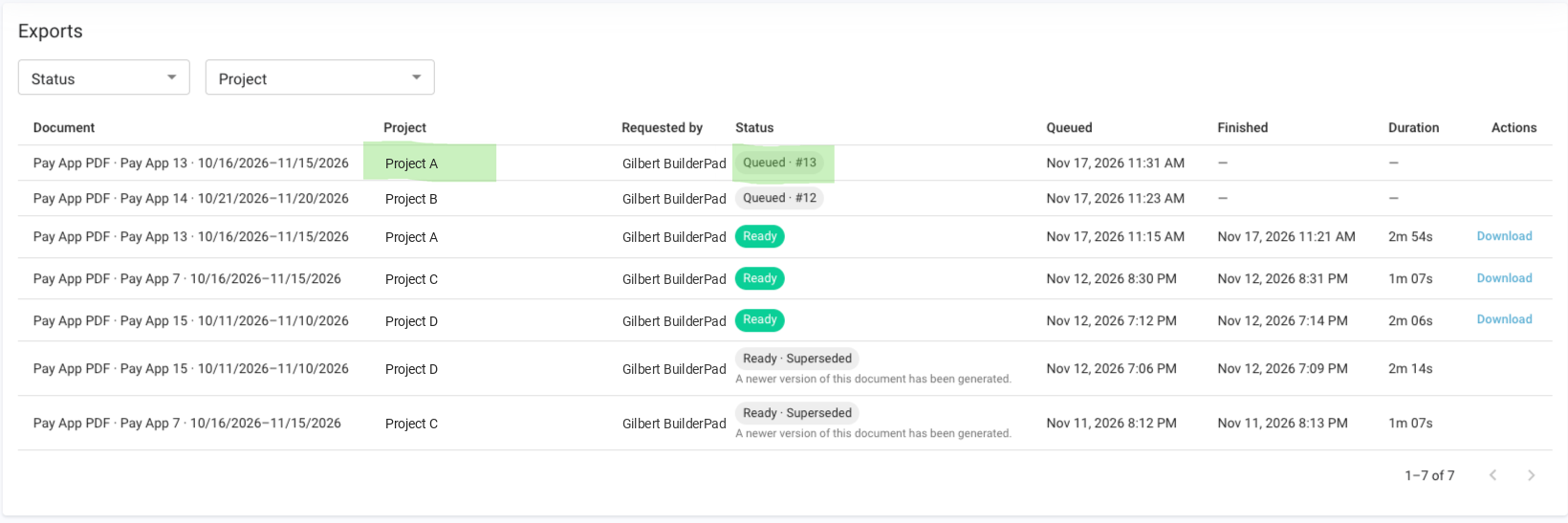
The Exports list opens, showing your exports with the newest at the top.
Use the Status and Project filters at the top to narrow the list if you have a lot of exports.
Each row shows the document (for example, Pay App PDF, Pay App 13, and its billing period), the project, who requested it, its status, when it was queued and finished, how long it took, and a Download link once it's ready.
What each status means
What to do while an export is queued
The best thing to do is wait a few minutes and let it work through the line. Your export is in the queue and will be processed.
Refresh the Exports list to see the latest status and queue number.
Avoid exporting the same pay app again. Each new export is a separate request, so it adds another item to the queue rather than speeding up the first one.
Check your email for the message from noreply@inbuild.ai once it's done. If it doesn't arrive, add noreply@inbuild.ai and inbuild.ai to your safe senders list, and grab the file from the Exports list instead.
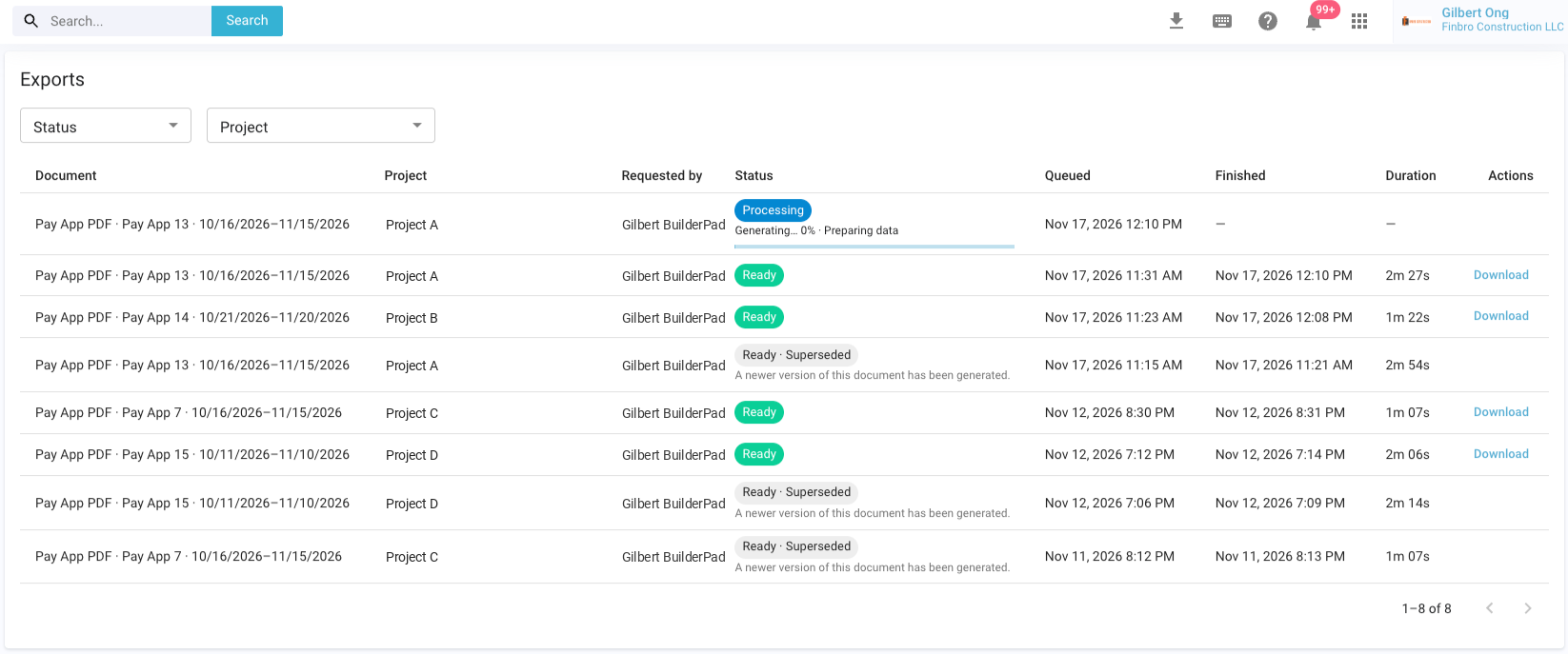
This is how it would look like when your new Pay App is on the top of the queue and is processing for Download.
Superseded exports: which copy to download
When you export the same pay app more than once, only the newest finished copy stays downloadable. Once the newer export is Ready, the older one changes to Ready · Superseded with the note "A newer version of this document has been generated," and its Download link goes away.
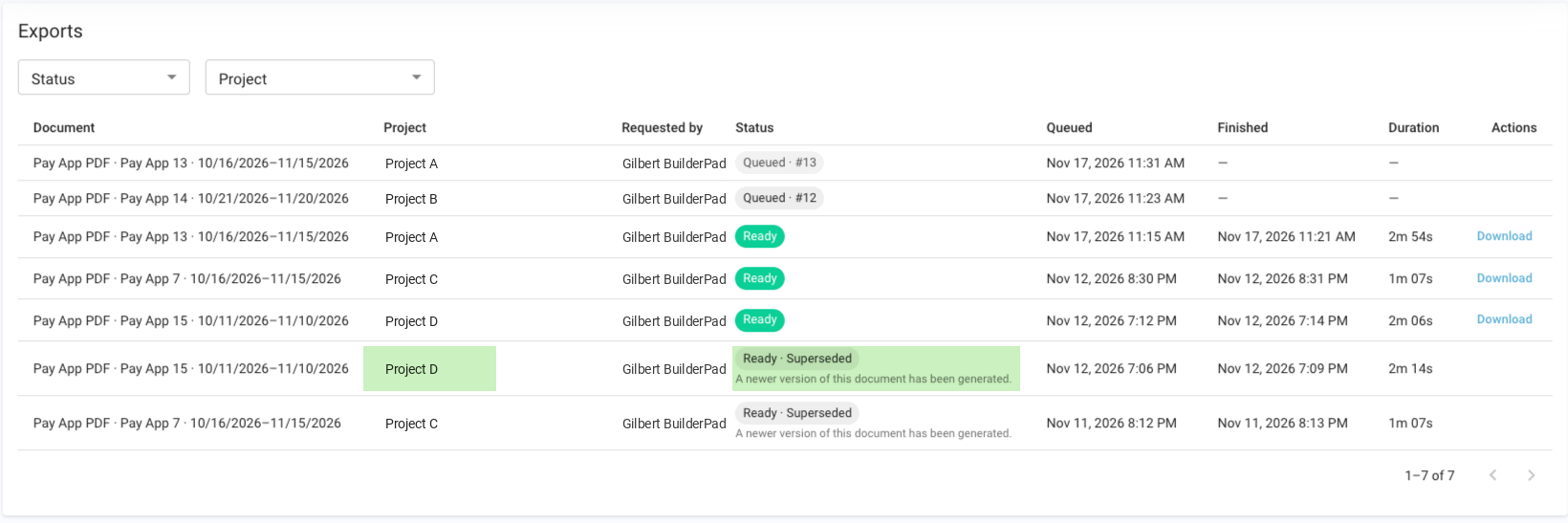
This matters if you've changed the pay app since your first export. The older Ready copy won't include those changes, so wait for the newer export to finish and download that one. If nothing has changed, the older Ready copy is the same document and you can download it right away while the newer one is still queued.
When to contact support
Reach out to support@builderpad.com, or message us from the chat, if:
your export's queue number hasn't changed after several refreshes, or
the export shows an error instead of Queued or Ready.
Include the project name, the pay app number and billing period, and a screenshot of the Exports list so we can find it quickly.
Was this helpful?
Still need help? Ask the team