
Changelog

Follow new updates and improvements to BuilderPad.

Clear the Clutter: New Hide Phases Toggle for the Gantt View
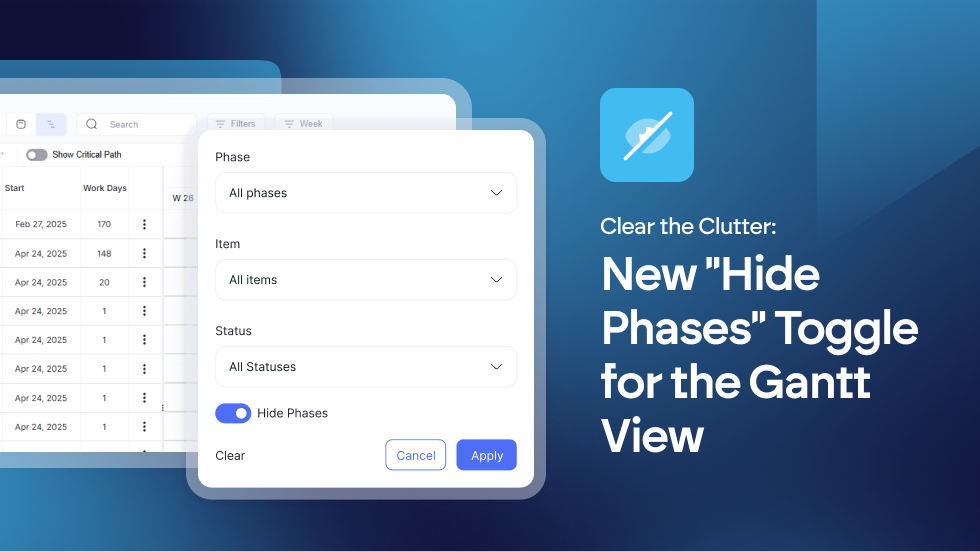

To help you focus on the work that matters most, we’ve added a new Hide Phases toggle to your Gantt View filters. 

  • Hide Phases Toggle: A new filter option in the Gantt View to remove phase rows from the display.

  • UI Enhancement: Increased vertical screen real estate for schedule items by hiding non-essential headers.

With one click, you can collapse all phase headers, removing the vertical bulk and leaving you with a streamlined list of actionable items.

Find out more about using the Gantt View in our Knowledge Base article: https://support.builderpad.com/en/help/articles/1776348-using-the-gantt-view
New Feature

📱 Manage Users Seamlessly: New User Filters in the Mobile App


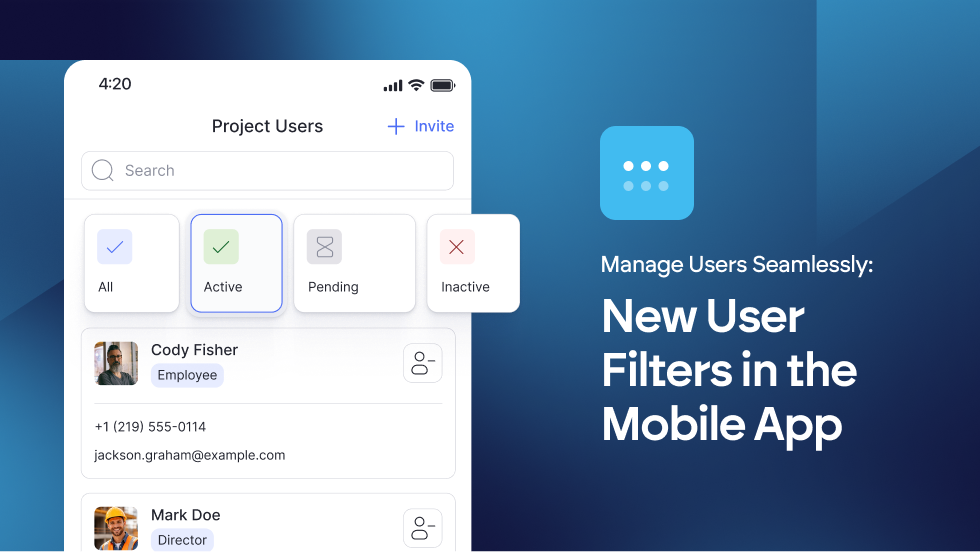
Managing your project team on the go just got a whole lot cleaner. We’ve added intuitive Filter Tabs to the Users section of the BuilderPad mobile app. 

Now, you can instantly toggle between All, Active, Pending, and Inactive users with a single tap.

Whether you’re checking who has accepted their invite or managing permissions from the field, managing user permissions is now faster than ever.

Learn more about managing User Permissions at → https://support.builderpad.com/en/help/articles/2328963-managing-users

Improvement

Tasks Without Borders: The New Chronological Gantt View


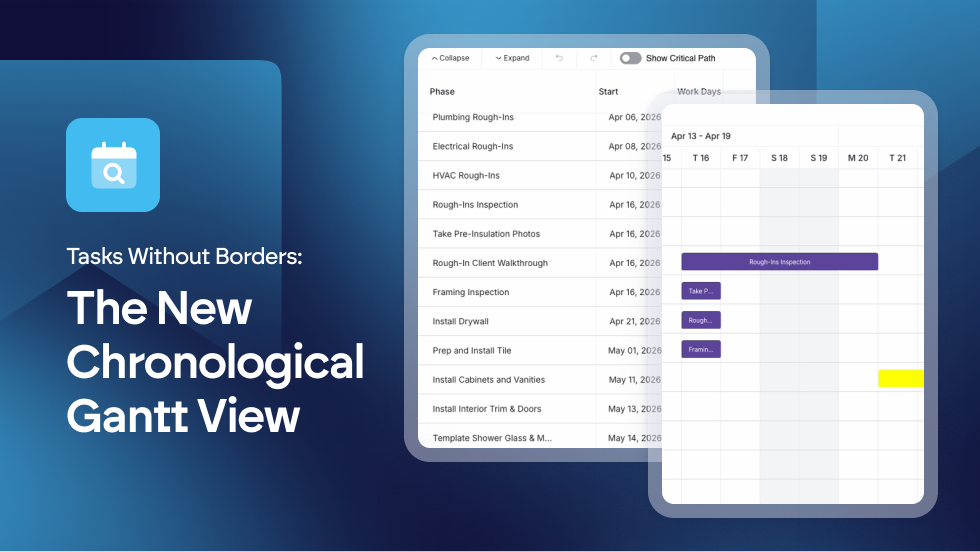
We’ve introduced a new way to visualize your work. You can now view all schedule items in a single, seamless chronological list, completely independent of their phases.

This global view treats your project as one continuous flow, allowing you to see exactly what comes next across the entire build without being interrupted by phase headers.

  • Unified Chronological View: New display mode allows schedule items to be viewed in a global list, independent of phase groupings.

  • Logic-Based Sorting: Improved the Gantt visualization to prioritize date-driven flow for better conflict detection.

By removing phase boundaries, you can spot overlaps and scheduling gaps instantly. It’s the ultimate big picture view for builders who need to know exactly what’s happening on-site today, tomorrow, and next week, regardless of which phase the task belongs to.

Find out more about using the Gantt View in our Knowledge Base article: https://support.builderpad.com/en/help/articles/1776348-using-the-gantt-view

Improvement

Earlier updates